Database Migration
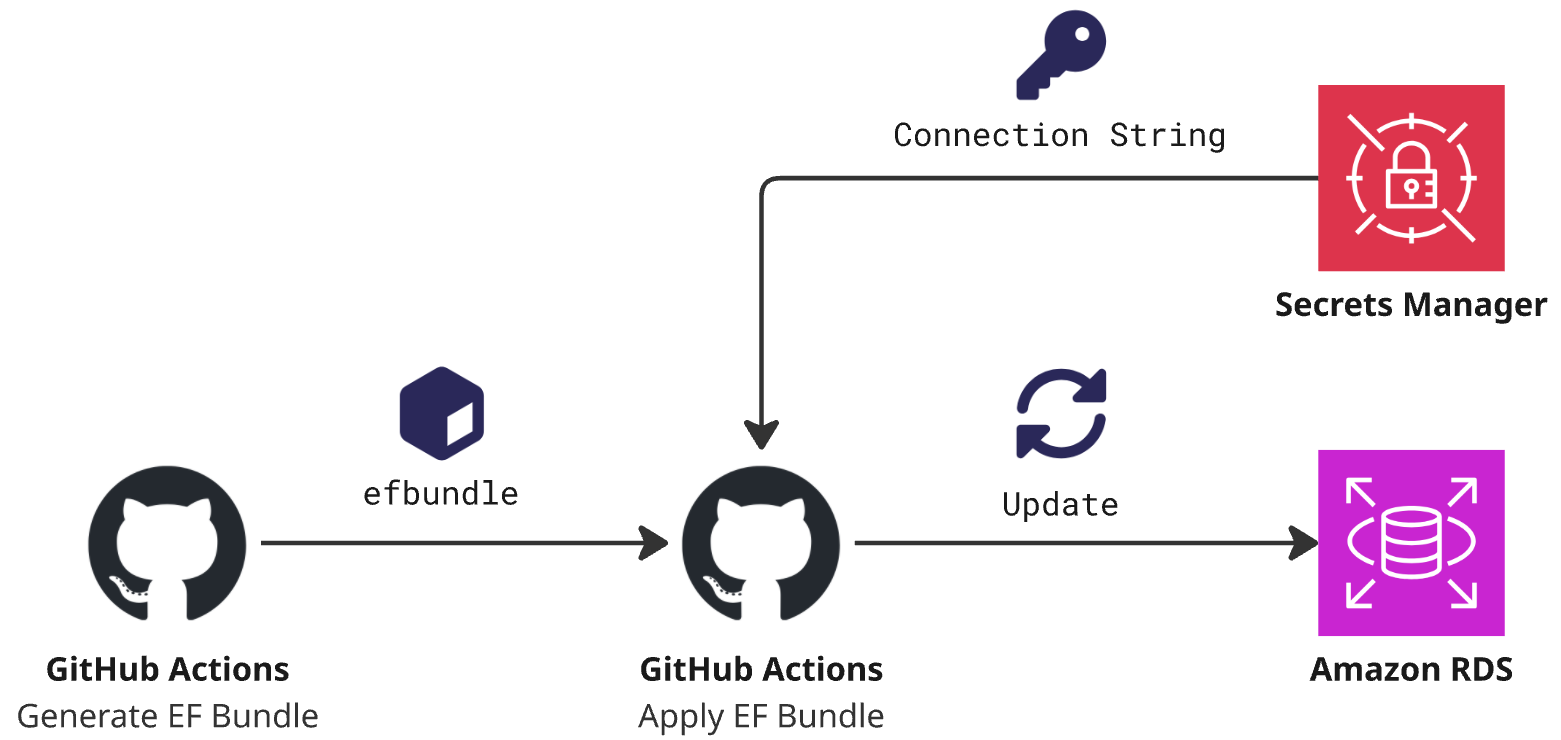
Database migration via EF Bundle.
If your .NET project is using Entity Framework (EF) to manage database migrations, you can apply these migrations directly in GitHub Actions workflows. The recommended approach is to use EF Migration Bundles when migrating in your pipelines.
Two reusable workflows are available to make this easier to do:
Usage
Given the following example project structure:
Kattehotell/
└──── Data/
    ├── Data.csproj
    ├── DbContext.cs
    ├── Migrations/
    │   ├── YYYYMMDDHHMMSS_migration.Designer.cs
    │   ├── YYYYMMDDHHMMSS_migration.cs
    │   └── ...
    │
    └── ...
The following workflow can be used:
name: Migrate Database

on:
  push:
    branches: [master]
  workflow_dispatch:

jobs:
  generate-ef-bundle:
    uses: BYM-IKT/github-actions/.github/workflows/generate-ef-bundle.yml@master
    secrets: inherit
    with:
      path-to-project: "Kattehotell/Data/Data.csproj"

  apply-ef-bundle:
    needs: [generate-ef-bundle]
    uses: BYM-IKT/github-actions/.github/workflows/apply-ef-bundle.yml@master
    with:
      aws-account-id-target:       "<<YOUR-AWS-ACCOUNT-ID>>"
      connection-string-secret-id: "<<NAME-OR-ARN-OF-SECRETSMANAGER-SECRET>>"